Set it up so it is actually yours
Out of the box it knows nothing about you, and the default settings will quietly cost you your usage limit. Five moves, about ten minutes.
Almost everyone who tries Claude and comes away unimpressed made the same mistake. They opened a blank chat and asked it to do senior work for a client it has never heard of, in a house style it has never seen, to a standard nobody described.
A blank chat is a very capable stranger on their first day. The output is generic because the input was.
This chapter fixes that, and fixes the other thing nobody warns you about: on a paid plan you have a usage allowance, and the default settings burn through it faster than they need to. Five moves.
01. Tell it who you are
Click your initials in the lower left, then Settings, then Instructions for Claude. This is the single highest-return thing in the whole playbook and most people never open it.
Describe your role, the kind of clients and brands you work on, the work you actually produce, and the vocabulary of your industry. It applies to every conversation from then on, so you never re-explain yourself again.
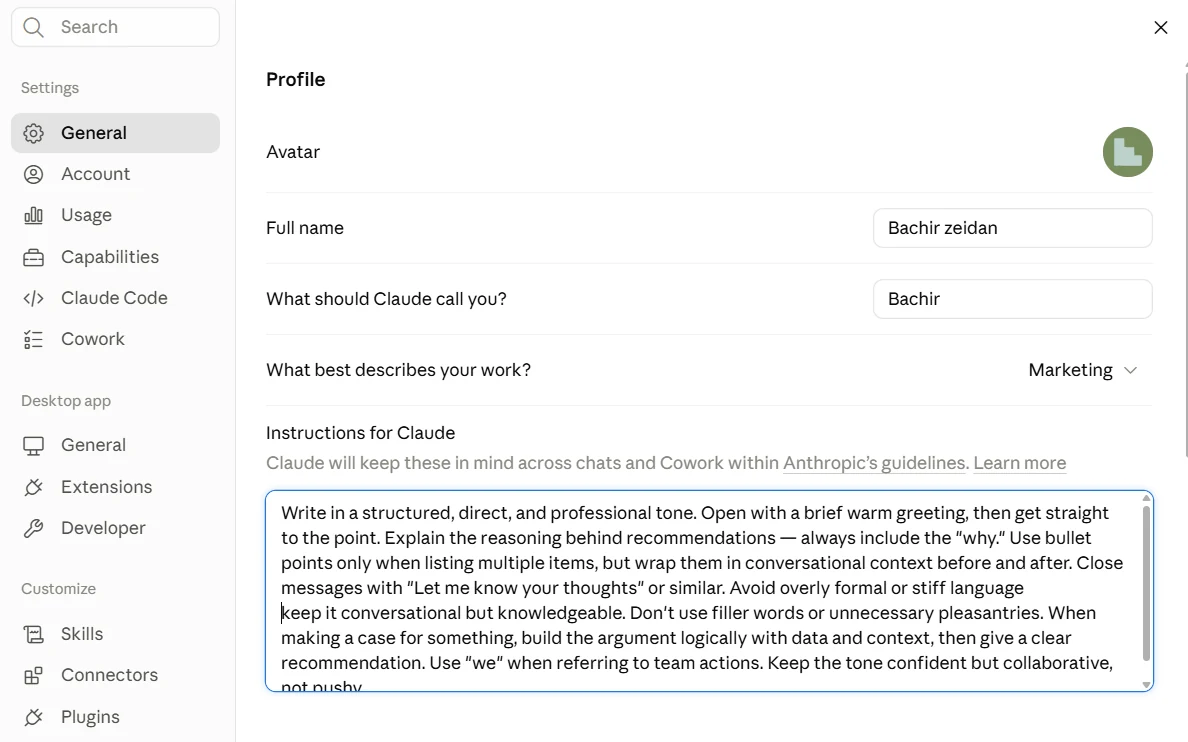
02. Set your voice in the same box
Right underneath, tell it how you want it to write. Your tone, your house rules, the things you never want to see. Be specific and be blunt about it. Vague instructions produce vague voice.
This is the difference between output you rewrite and output you send. If you have ever read an AI draft and thought "this is fine but it does not sound like me", this is the box that fixes it, and it takes two minutes.
I work in media and marketing in the UAE, across a mix of retained clients and new business. My work is briefs, media plans, campaign reporting, client updates and presentations.
How to work with me: be direct and senior. Give me one opinionated recommendation rather than a list of options, and tell me what you assumed to get there. Write in clear professional English, short sentences, no em dashes. When I share a brief or a deck, critique it like a skeptical client before you agree with it. Use GST for time and AED for budgets.
That is a starting point, not a template to copy verbatim. Rewrite it for your role, your market and your standards. The instruction that matters most is usually the one telling it what you do want, because that is what a model will otherwise default to.not
03. Default to the middle model
There is a model picker at the top of every chat, and it usually offers a heavyweight, a mid-tier workhorse and a small fast one. Almost everyone leaves it on the heaviest available, on the reasoning that more is better.
Set it to the mid-tier model and leave it there. Drafting, summarising, rewriting, comparing documents, building a brief: the workhorse handles all of it, and it draws down your allowance far more slowly. Move up to the heavyweight for genuinely hard multi-step reasoning, then move straight back down.
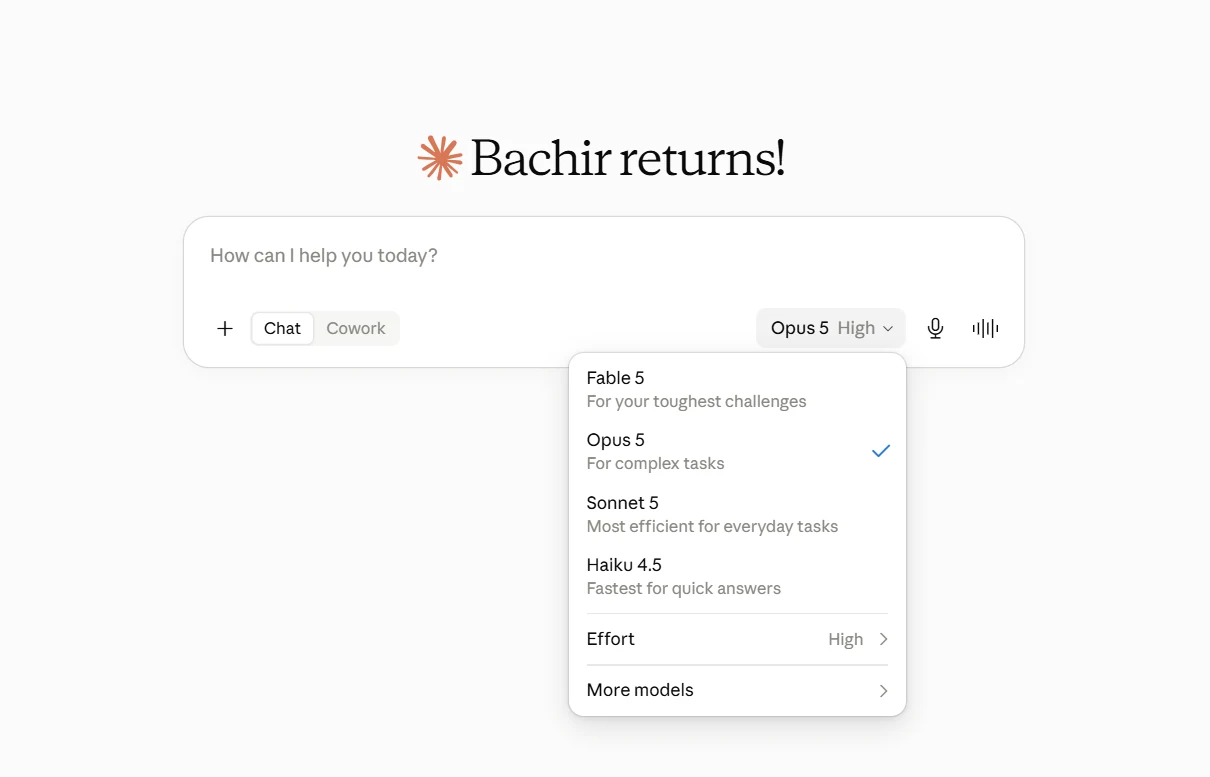
This one habit is the difference between having capacity on Thursday and not.
I have deliberately not named specific models or quoted per-token prices here, because that lineup changes every few months and any guide that hardcodes it is wrong by the time you read it. The principle is stable even when the names are not: default to the middle of the range, escalate deliberately, come back down. Check the current lineup and pricing on Anthropic's own pages rather than trusting any article, including this one.
04. Switch on memory
Settings, then Capabilities. Turn on the options that let it search and reference your past chats and build a rolling memory of your work.
Without this, every conversation starts cold and you are the one carrying continuity between them. With it, the tool gets sharper the longer you use it, because it has seen how you work and what you rejected last time.
05. Make your allowance last
Three habits, all small, and together they are worth more than any prompt trick.
If you do hit your limit, it refills on a rolling window rather than resetting at midnight, so it is usually a matter of hours and not days.
The ten minutes that change everything else
None of this is clever. It is the setup step that everybody skips because it does not feel like doing work, and it is the reason two people with identical subscriptions get completely different results out of them.
Do the instructions box properly and the rest of this playbook lands on something solid. Skip it and you will spend every chapter re-explaining yourself to a stranger.
Write your instructions block now, before you read chapter 02. Then take a piece of writing you have already sent this week, a client email or a status update, and ask it to draft the same thing from scratch. Compare the two. If it does not sound like you yet, the fix is in the instructions box, not in the prompt.